
Know what’s happening
See CPU, GPU, memory, network, disk, and energy in one calm, useful overview.
Learn moreYour Mac has a story behind every slowdown. MacClue turns performance data into answers you can actually use.
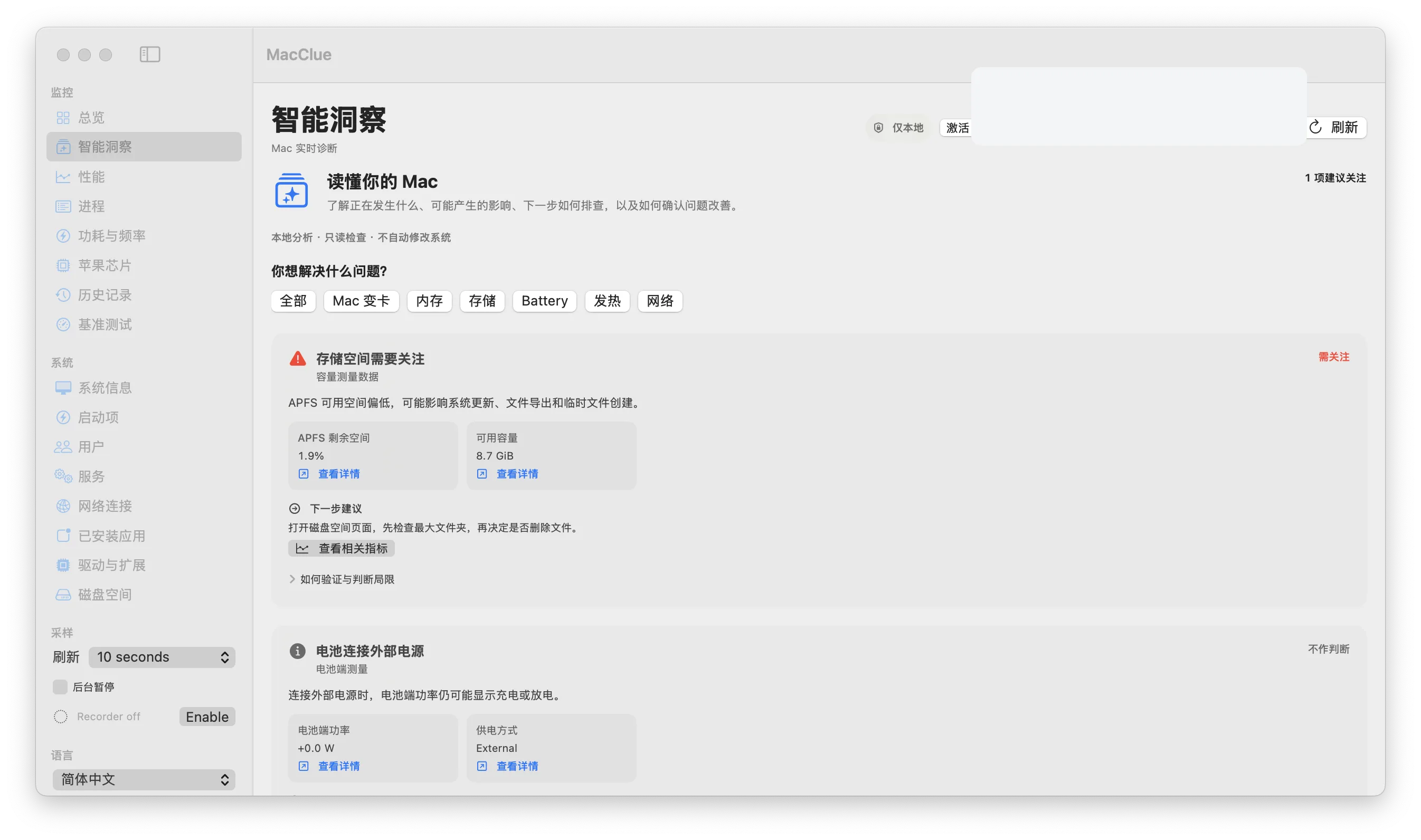
Everything you need to understand your Mac — designed to feel approachable, even when the underlying data is complex.
See CPU, GPU, memory, network, disk, and energy in one calm, useful overview.
Learn moreGet evidence-based explanations and practical next steps — not just another warning.
Learn moreCompare performance trends and explore the moments your Mac starts to slow down.
Learn moreInspect disk usage with real scan progress and safely identify large folders.
Learn moreExplore thermal and power estimates with careful context about what they mean.
Learn moreKeep monitoring local and share diagnostics only after reviewing them yourself.
Learn moreHigh RAM use? Hot CPU? A slow computer? MacClue helps connect the symptoms, shows the evidence, and suggests what to check next — without pretending to know more than the sensors can tell.
You don’t have to be a technician to make sense of your Mac.
Start with a calm overview of real-time CPU, memory, GPU and storage data.
Smart Insights explains which signals matter and why they might be connected.
Inspect the details and confirm whether a change actually made a difference.
Explore an intelligent system monitor built to help you understand, not just observe.
Download for MacPrivate beta · macOS 15+