
Understand the power source
Charging, discharging and external-power operation imply different energy behavior. For a battery-powered Mac, examine the context before deciding a high watt reading is abnormal.
Temperature is model-dependent
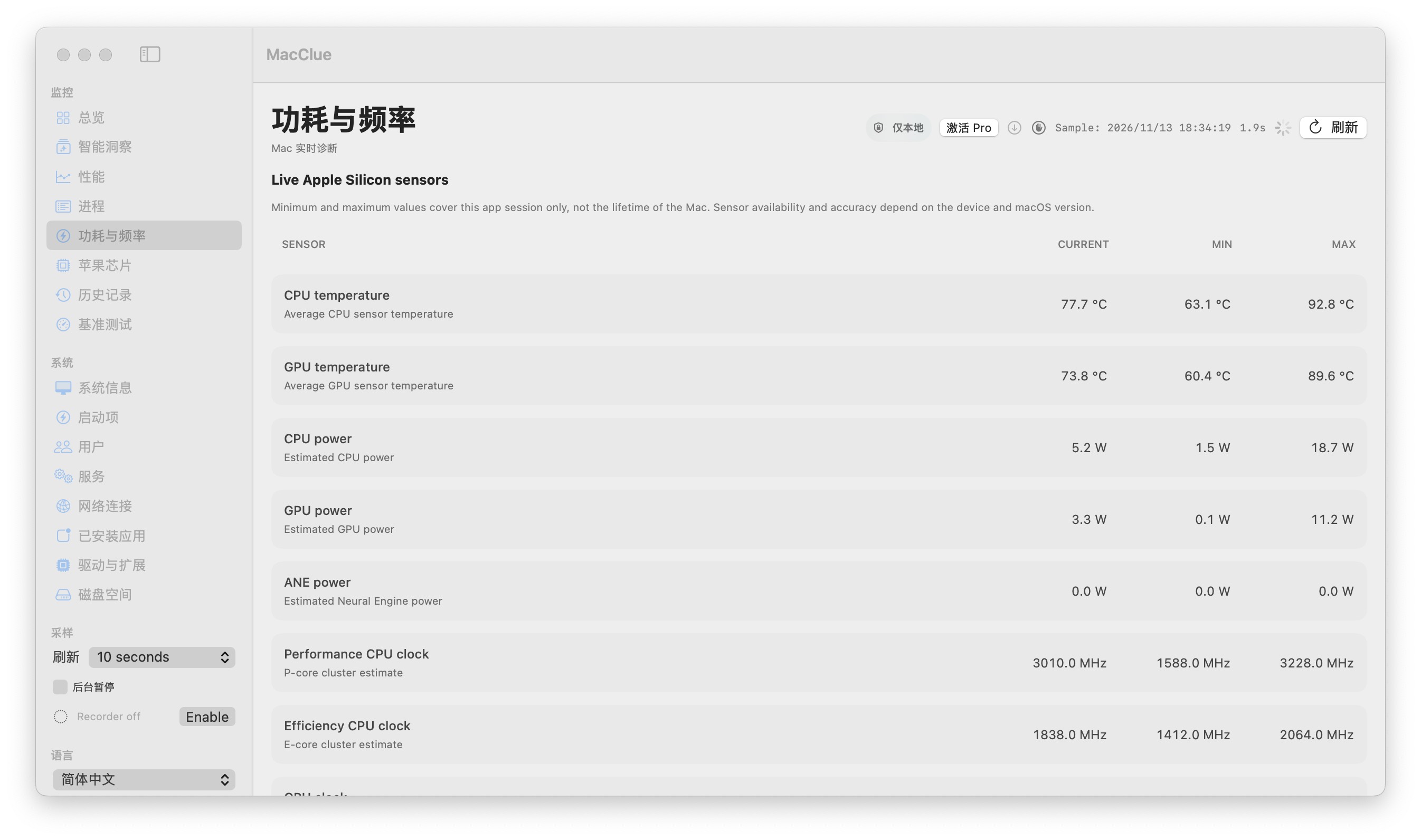
Thermal and CPU/GPU power values may come from optional local sensor providers and are estimates. Some Macs do not expose these signals. MacClue labels unavailable data and source caveats rather than filling missing values.
Review trends after workloads
Look at temperature alongside CPU usage when exporting, building or rendering. If the temperature remains high after a workload ends, compare subsequent samples instead of trusting a single alarm.
Treat battery advice cautiously
Battery wear, charging optimization and system energy policy are complex. MacClue offers measurements and investigative clues; it cannot certify battery health or control Apple hardware safety systems.
What to know before relying on this feature
Different chips, macOS versions and sensor providers produce non-equivalent readings; cross-device calibration remains in progress.
See for yourself
Download the verified beta and compare its readings with macOS Activity Monitor and System Settings. Results depend on your model and permissions.
Download for Mac